Skip to index filter Skip to main content
Nefertiti-for-Sphinx Nefertiti for Sphinxsphinx-nefertiti
  • Quick Start
  • Customize
    • Fonts
    • Colorsets
    • Header Links
    • Footer Links
    • Version Dropdown
    • Git Repository
    • Document source links
    • Last updated timestamp
    • Modal window
    • Pygments
    • CSS variables

    • Color-schemed Images
  • Release Notes
Search the documentation

sphinx-nefertiti

  • Quick Start
  • Customize
    • Fonts
    • Colorsets
    • Header Links
    • Footer Links
    • Version Dropdown
    • Git Repository
    • Document source links
    • Last updated timestamp
    • Modal window
    • Pygments
    • CSS variables

    • Color-schemed Images
  • Release Notes

  • sphinx-nefertiti

  • Nefertiti for Sphinx latest
    • Versions

  • Change base color
    • Change base color
    • Blue
    • Indigo
    • Purple
    • Pink
    • Red
    • Orange
    • Yellow
    • Green
    • Teal
    • Cyan

    • Header style
    • Neutral

  • Change appearance
    • Change appearance
    • Light
    • Dark
    • Automatic
  Index
Index
  • Quick start
  • User’s guide
    • Installation
    • Customization
      • Fonts
      • Colorsets
      • Header links
      • Footer links
      • Version dropdown
      • Git repository
      • Document source links
      • Last updated timestamp
      • Modal window
      • Pygments
      • CSS variables
    • Localization
    • Theme Options
    • Components
      • Admonitions
      • Version changes
      • Code blocks
      • Headings
      • Images
      • Figures
      • Lists
      • Tables
        • Tables in Markdown
        • Tables in reStructuredText
      • Math and equations
        • Math in Markdown
        • Math in reStructuredText
      • Footnotes
  • Accessibility
  • Development
  • Contributing
  1. Start
  2. User’s guide
  3. Customization
  4. Modal window

Modal window

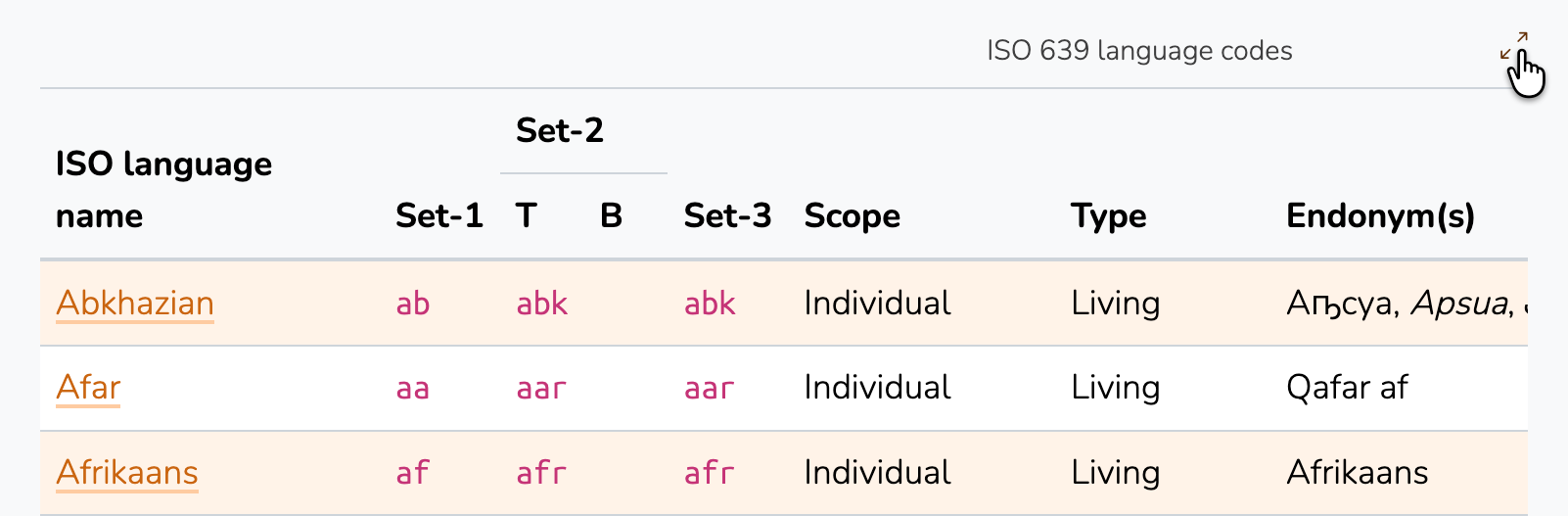
Sometimes the representation of the data requires a wider view than the central column. It particularly happens when displaying tables. Nefertiti adds a expand button at the top right side of each table that when clicked opens a modal window with the table in a wider view.

The modal window is active for two types of elements: tables and mermaid diagrams.

Large tables

The documentation of Nefertiti for Sphinx comes with two examples of tables with a width wider than the central column:

  • The table of the ISO 639 language codes

  • An extract of the World’s most threatened species
../../_images/modal-table.light.png

At the top right side of the table, clicking on the expand icon opens the table in a modal window.

Mermaid diagrams

Mermaid diagrams may open using the modal window provided by sphinxcontrib-mermaid. Once it has been installed, adding the following settings to your conf.py file enables the modal window:

mermaid_fullscreen = True  # Enable/disable globally (default: True)
mermaid_fullscreen_button = "⛶"  # Customize button icon (default: ⛶)

Here is an example:

         ---
 title: Example of Mindmap
 config:
     theme: base
 ---
 mindmap
 root((mindmap))
   Origins
     Long history
     ::icon(fa fa-book)
     Popularisation
       British popular psychology author Tony Buzan
     Research
       On effectiveness<br/>and features
       On Automatic creation
         Uses
             Creative techniques
             Strategic planning
             Argument mapping
     Tools
       Pen and paper
       Mermaid
    
  On this page
  • Modal window
    • Large tables
    • Mermaid diagrams
  • Previous Last updated timestamp
  • Next Pygments
  • Documentation
  • Package
  • Repository
  • Issues
Nefertiti for Sphinx
  • Code licensed MIT, docs CC BY 3.0.
Built with Sphinx 8.2.3 and Nefertiti 0.9.8