Version dropdown
If your Sphinx documentation is available for more than one version of your project, Nefertiti for Sphinx can display a dropdown in the header to switch between each of the documentation sites.
To see the version dropdown, whether in production or development, add the list of versions with their links to the conf.py file.
Theme options
Two theme options have to be provided in order to display the version dropdown:
current_versionversions
1. current_version
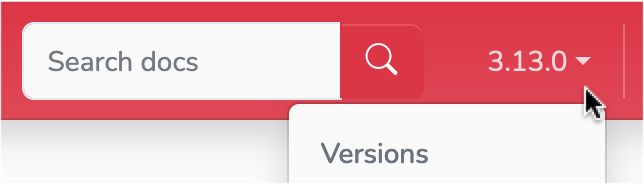
The current_version entry in html_theme_options represents the label displayed in the dropdown widget.
The image in the right shows the label 3.13.0 as provided to the option current_version.
2. versions
The versions entry in html_theme_options represents the list of tuples (version, link) that feeds the dropdown selector. The first member of each tuple is the version label, and the second member is the link to that version. If your project has the following versions:
Version |
URL |
|---|---|
3.13.0 |
|
3.12.7 |
|
3.11.10 |
|
3.10.15 |
|
3.9.20 |
|
3.8.20 |
You could add them to the Version dropdown by adding the following content to the versions key in the html_theme_options setting:
html_theme_options = {
    # ... other options ...
    "versions": [
        ("3.13.0", "https://docs.python.org/3.13/"),
        ("3.12.7", "https://docs.python.org/3.12/"),
        ("3.11.10", "https://docs.python.org/3.11/"),
        ("3.10.15", "https://docs.python.org/3.10/"),
        ("3.9.20", "https://docs.python.org/3.9/"),
        ("3.8.20", "https://docs.python.org/3.8/"),
    ]
}
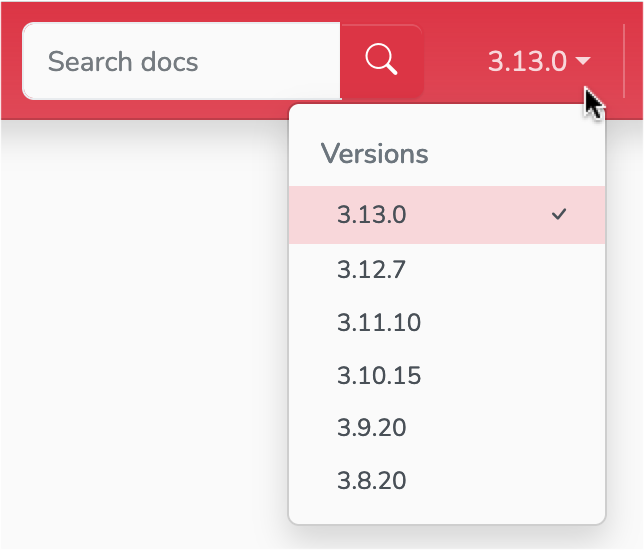
The resulting version dropdown.
Rebuild the theme
Save the previous changes and rebuild your Sphinx site:
$ make clean
$ make html
$ python -m http.server -d build/html
Visit http://localhost:8000 to take a look at the changes.