Theme Options
This is the list of customizable options available in Nefertiti for Sphinx. They go in the html_theme_options setting, in your project’s conf.py file:
project_shortstylestyle_header_neutralpygments_light_stylepygments_dark_stylesans_serif_fontmonospace_fontmonospace_font_sizeproject_name_fontdocumentation_fontdocumentation_font_sizedoc_headers_fontlocaleslogologo_locationlogo_altlogo_heightlogo_urllogo_widthcurrent_versionversionsrepository_urlrepository_nameheader_links_in_2nd_rowheader_linksfooter_linksshow_colorset_choicesreset_colorset_choice_after_msdocumentation_url
1. project_short
project_short represents a shorter version of the project setting. It is used in the header as the name of the project when the site is rendered in a small device like a phone screen.
When not given the header displays the value given in the project setting.
project = "UNHCR - The UN Refugee Agency"

The header displays the value of project in a wide enough header.

In a small device the value of project is trimmed.
Adding the option project_short to the html_theme_options with a value like "UNHCR" will display the header without the need to scroll horizontally:
html_theme_options = {
    "project_short": "UNHCR",
}

The header after adding the option project_short.
2. style
style may take any of the following values:
blueindigopurplepinkredorangeyellowgreentaildefault
When not given its value is default, which corresponds to cyan. It allows to customize the primary color of the theme.
html_theme_options = {
    "style": "green",
}
Read more about it in Customization > Colorsets.
3. style_header_neutral
style_header_neutral may be True or False.
When it is True the header adapts the primary color to the user’s preferred color scheme. If it is False the header does not change between dark and light appearance. It is False by default.
html_theme_options = {
    "style_header_neutral": True,
}
Read more about it in Customization > Colorsets.
4. pygments_light_style
pygments_light_style represents the Pygments style used to render code blocks in light appearance. The default value is emacs.
html_theme_options = {
    "pygments_light_style": "lilypond",
}
The list of styles available is listed in Pygments.
5. pygments_dark_style
pygments_dark_style represents the Pygments style used to render code blocks in dark appearance. The default value is monokai.
html_theme_options = {
    "pygments_dark_style": "dracula",
}
The list of styles available is listed in Pygments.
6. sans_serif_font
sans_serif_font represents the font that will be used to render the HTML content, except code blocks or inline code. It defaults to Nunito.
html_theme_options = {
    "sans_serif_font": "Nunito",
}
Read more about it in Customization > Fonts.
7. monospace_font
monospace_font represents the font that will be used to render code blocks and inline code. It defaults to Ubuntu Sans Mono.
html_theme_options = {
    "sans_serif_font": "Nunito",
    "monospace_font": "Ubuntu Sans Mono",
}
Nefertiti for Sphinx is distributed with 3 monospace fonts:
Check out the section Adding fonts to include other fonts.
8. monospace_font_size
monospace_font_size represents the font size that will be used to render code blocks and inline code. It defaults to 1rem.
html_theme_options = {
    "sans_serif_font": "Nunito",
    "monospace_font": "Red Hat Mono",
    "monospace_font_size": ".90rem",
}
9. project_name_font
project_name_font is used in the header and footer to render the name of the project. You can use any of the fonts included with Nefertiti or add any other one. Check out the section Adding fonts.
project = "Montserrat"

html_theme_options = {
    "sans_serif_font": "Nunito",
    "project_name_font": "Montserrat",
}

10. documentation_font
documentation_font is used to render the reStructuredText and Markdown content. The rest of the content remains rendered with sans_serif_font:
html_theme_options = {
    "sans_serif_font": "Nunito",
    "documentation_font": "Comme",
}
11. documentation_font_size
documentation_font_size is used to change the font size of the reStructuredText and Markdown content. The rest of the site remains at the default size of 1rem.
html_theme_options = {
    "sans_serif_font": "Nunito",
    "documentation_font": "Comme",
    "documentation_font_size": "1.1rem",
}
12. doc_headers_font
Use doc_headers_font to change the font of the headers of the reStructuredText and Markdown documents:
html_theme_options = {
    "sans_serif_font": "Nunito",
    "doc_headers_font": "Montserrat",
    "documentation_font": "Comme",
    "documentation_font_size": "1.1rem",
}
13. locales
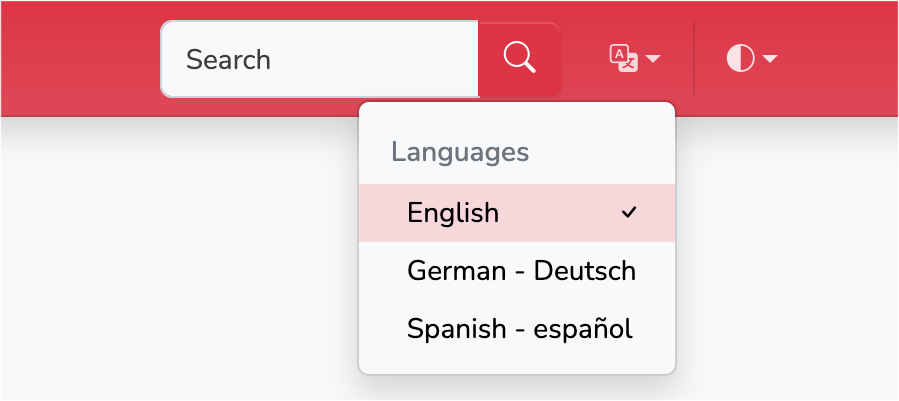
When your site is available in multiple languages, use locales to display the localization widget:
html_theme_options = {
    "locales": [
        ("de", "http://sample-project.org/de/"),
        ("en", "http://sample-project.org/en/"),
        ("es", "http://sample-project.org/es/"),
    ],
}
14. logo
Use the logo to display an image at the left side of the project name. The following example uses an SVG image downloaded from the getbootstrap icons’ website and placed in the _static directory:
project = "Eat well"

html_theme_options = {
    "logo": "fork-knife.svg",
    "logo_width": 24,
    "logo_height": 24,
}

15. logo_location
The logo_location option may take two values: header and sidebar. The default value is header. It allows to place the logo either in the header, like in the current document for Nefertiti for Sphinx, or in the sidebar.
To display the logo in the sidebar, give logo_location the value sidebar:
html_theme_options = {
    # By default, when placing the logo in the sidebar,
    # it is not necessary to pass the width and height.
    "logo": "pharaoh.svg",
    "logo_location": "sidebar",
}
The previous code produces the following result:
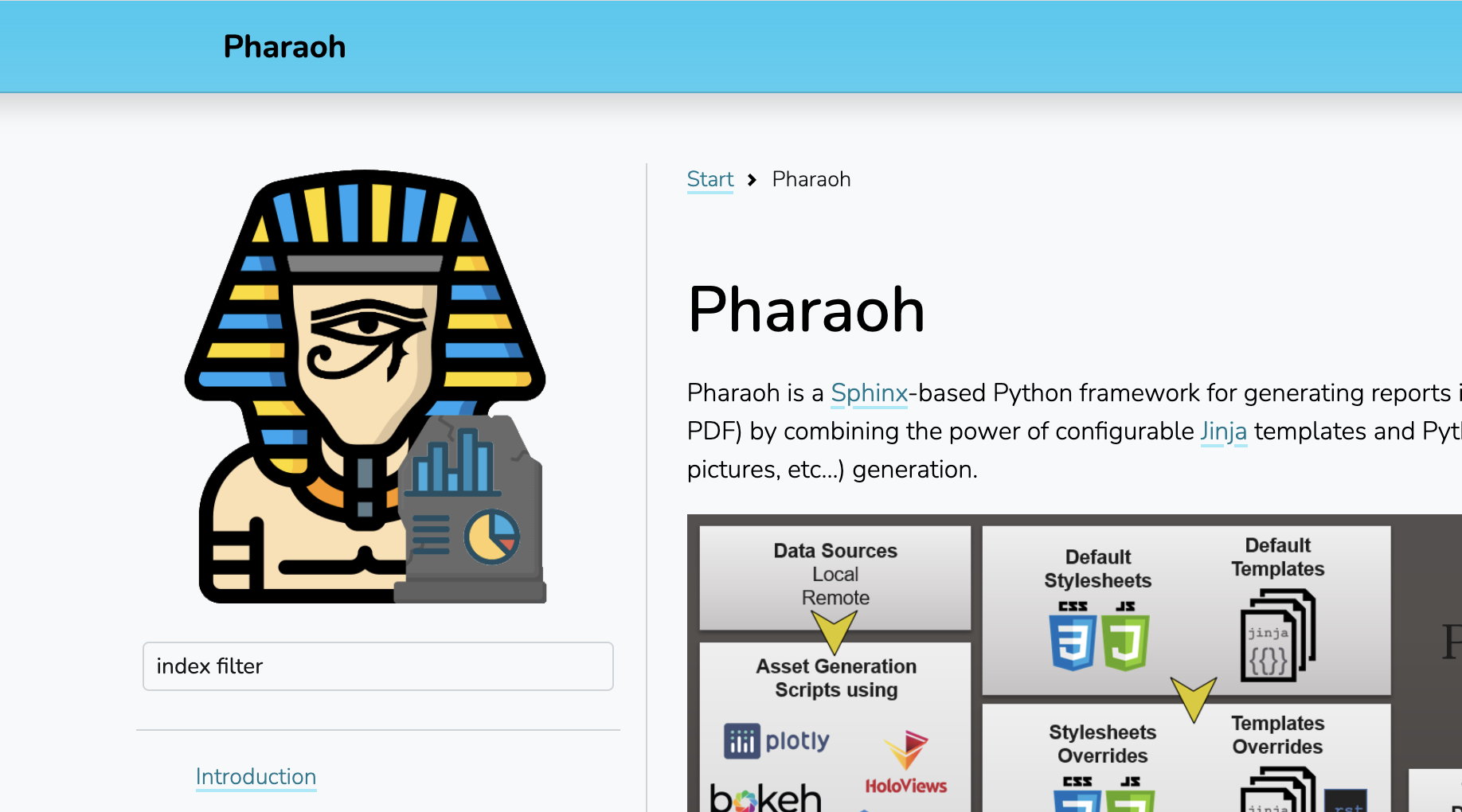
The logo of the project is displayed in the sidebar.
16. logo_alt
The logo_alt option is provided as the attribute alt for the <img> element. It is valuable when using non-visual browsers, when the user chooses not to display images or when the image is invalid or an unsupported type.
project = "Eat well"

html_theme_options = {
    "logo": "fork-knife.svg",
    "logo_alt": "The 'Eat well' logo",
    "logo_width": 24,
    "logo_height": 24,
}
17. logo_height
Adjust the height of the logo using the option logo_height. See the example above in logo.
18. logo_width
Adjust the width of the logo using the option logo_width. See the example above in logo.
19. logo_url
If the logo_url option is given the logo will link to it. Otherwise the logo is a link to the master document of your project.
20. current_version
current_version is an option related to the Version dropdown. It represents the value displayed in the label of the dropdown.
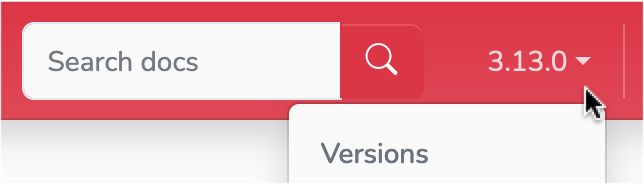
The 3.13 displayed in the widget is the value of current_version.
21. versions
versions is an option related to the version dropdown widget. Its value is a list of tuples. Each tuple must have two elements. The first element is the label displayed in the version dropdown and the second is the URL it points to:
html_theme_options = {
    "current_version": "3.13.0",
    "versions": [
        ("3.13.0", "https://docs.python.org/3.13/"),
        ("3.12.7", "https://docs.python.org/3.12/"),
        ("3.11.10", "https://docs.python.org/3.11/"),
        ("3.10.15", "https://docs.python.org/3.10/"),
        ("3.9.20", "https://docs.python.org/3.9/"),
        ("3.8.20", "https://docs.python.org/3.8/"),
    ]
}
Read more about it in the Version dropdown.
22. repository_url
When both, repository_url and repository_name have values, the header displays a repository link. Read more about it in Git repository.
23. repository_name
When both, repository_url and repository_name have values, the header displays a repository link. Read more about it in Git repository.
24. header_links_in_2nd_row
header_links_in_2nd_row can be either True or False, and it works in combination with the header_links option.
When it is True, the header links are displayed in a second row in the header. Otherwise the links are displayed in the same line, at the right side of the project’s name.

When header_links_in_2nd_row is True, header links are displayed below the project name.
25. header_links
header_links allows adding links to the header:
html_theme_options = {
    'header_links': [
        {
            'text': 'Home',
            'link': 'index',
        },
        {
            'text': 'Tutorial',
            'link': 'tutorial',
        },
        {
            'text': 'Blog',
            'link': 'https://example.com/blog',
        },
    ],
}

The header displays the three links defined above.
Header links can contain dropdown elements with more links. Read more about it and see additional examples in Header links.
27. show_colorset_choices
The show_colorset_choices option can be True or False. It is False by default. It was added as a way to show the effect of applying different values of the style option.
When active the site displays a style dropdown with all the styles and a switch to switch the neutral header.
28. reset_colorset_choice_after_ms
The reset_colorset_choice_after_ms option indicates how many milliseconds a style change will last. Once the time expires the site will revert back to the style defined with style option. The expiration can be disabled passing 0 to this option. But then users won’t be able to get back to the original value declared with style.
It defaults to 0.
29. docs_repository_url
Represents the link to the repository with the documentation, provided with the base path. ie:
html_theme_options = {
    "docs_repository_url": "https://code.net/repo/tree/main/docs/source/",
}
If Sphinx setting html_show_sourcelink is True (default value) and html_theme_options contains the docs_repository_url, a link to the source file in the documentation repository is displayed at the top right of the central column. It is represented as a pencil.
Additionally, when the setting html_copy_source is True (it is by default), Sphinx copies the source of the documentation to the output directory. In such a case Nefertiti displays a link to the corresponding source content, represented with an icon that shows a file with angle brackets.
To disable both links set those two settings to False:
html_copy_source = False
html_show_sourcelink = False